Everyone
- Water the plants
- Put the bins out
- Clear the table
A permanent place at home
Turn a linked iPad into a kitchen display for the whole household. This shared planning display shows chores by person, routines and groceries side by side. Check off an item on screen and everyone sees the same current state.
Kitchen Display requires an iPad with iPadOS 17 or later, internet and Premium for your group.

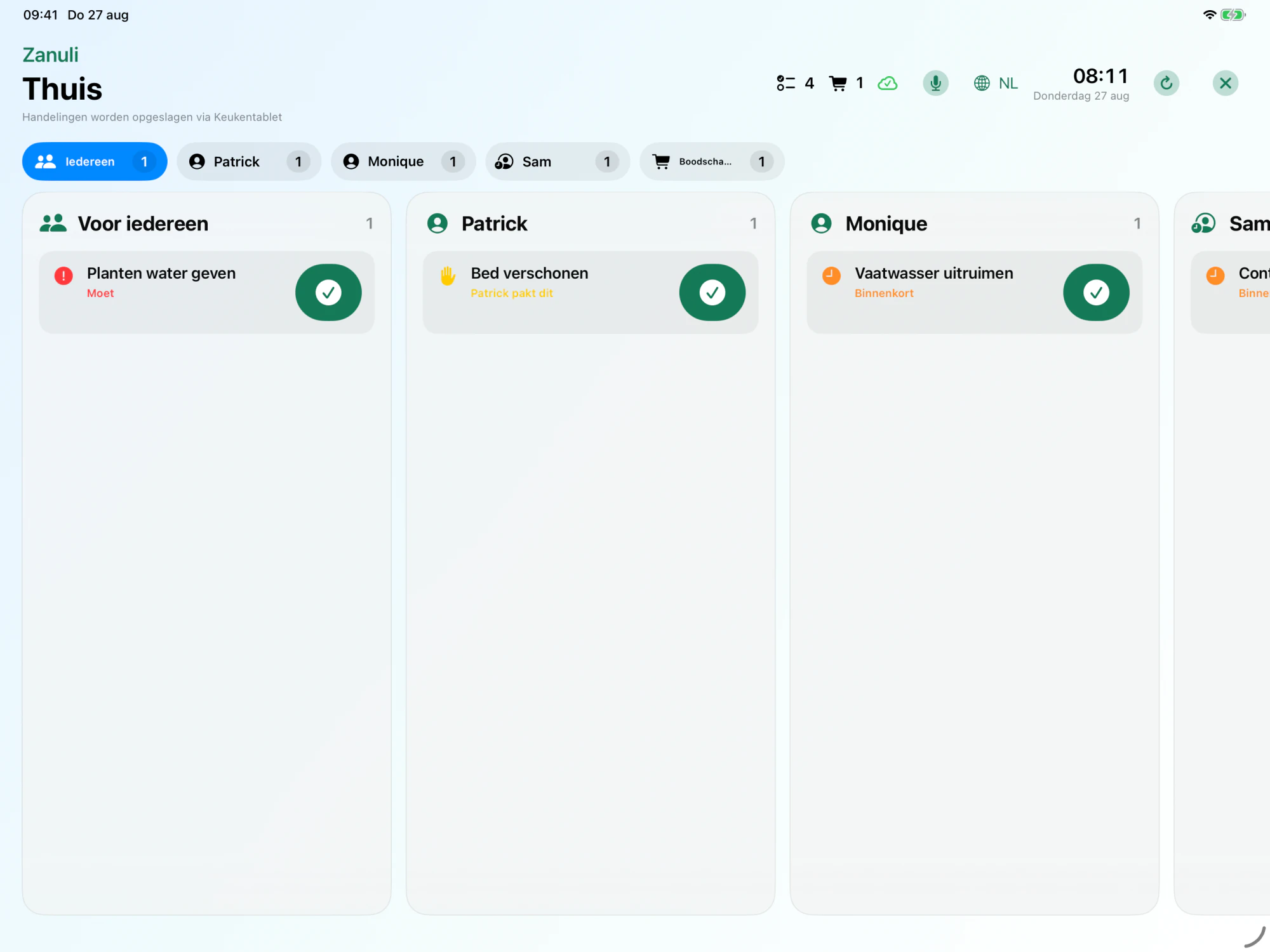
Example tasks — your own names and tasks stay exactly as the group enters them.
A group manager creates a single-use code. The display receives limited access to exactly that group.
Everyone sees group tasks, tasks per person, shopping and what is coming next.
Complete something directly. The group quickly sees the same state online; temporary offline work is retained.
Zanuli
The display is not another personal account and cannot show other groups. iOS Guided Access can provide an actual iPad lock.
Keep the plan where everyone can see it. A compatible iPad on the kitchen counter shows chores, routines and groceries. You do not need a special display, and children do not need their own phone.
It must support iPadOS 17 or later. Arrange internet, power and a safe, fixed spot. An older iPad works if it meets these requirements.
A group administrator with the required permissions opens My group → Shared devices → Pair kitchen display. Your group needs Premium.
Choose Set up kitchen display and scan or enter the pairing code. The iPad does not need a separate personal account; it joins your existing group.
One shared view, including for people without their own phone.
Kitchen Display is part of Premium for your group. You can use it during an active free Premium trial. Afterwards, an active Premium subscription is required; the iPad itself is not included.
Yes. Add them as people without a login. The shared display shows their tasks without requiring their own email address or phone.
From Zanuli 1.3.6 the weekly planner shows tasks and appointments on the kitchen display. You choose which Google or iCloud calendar to share with your group. Google has approved calendar access; real iCloud account testing is still pending.
Running low on milk? Or a chore you do not want to forget? Tap the microphone in the app or on the kitchen display and dictate it. Check the recognised text and add your task or shopping item.
Start dictation yourself with the microphone button. Allow microphone access and speech recognition when first asked.
Open the guideConnect smart appliances to your household plan. Home Connect and Shelly turn a completed appliance cycle into a practical follow-up task, visible to your household on phones and the kitchen display.
Integrations and smart appliancesAvailable from Zanuli 1.3.6
See the week in the app or on the kitchen display, browse ahead and add tasks or appointments. Connect an existing Google calendar or create a separate family calendar. The iCloud connection is still being tested with a real account.
Available from Zanuli 1.3.6 in the App Store. Google has approved the requested calendar access. The real iCloud account test is still pending. Outlook is not available yet.
Beta · Zanuli 1.3.8. Not yet generally available in the App Store.
Home is your daily overview. Planning shows tasks and events together immediately. The four main tabs remain.
Plan one meal per day for the selected group. Add ingredients with quantities and choose what goes on the shopping list.
Your day, tasks and routines → · Plan meals and select groceries →
Start with Zanuli
Bring tasks, shopping and routines together, share the current state and keep more headspace for what really matters.